
Laut: How I use local AI to research my recordings
Hours of streaming, presentations and PDFs: at Deutsche Telekom’s AI Investor Day, I wanted to keep track of the discussion and find important statements again. That is becoming Laut – a research tool that lets me use AI without sending my recordings and transcripts to a cloud service.
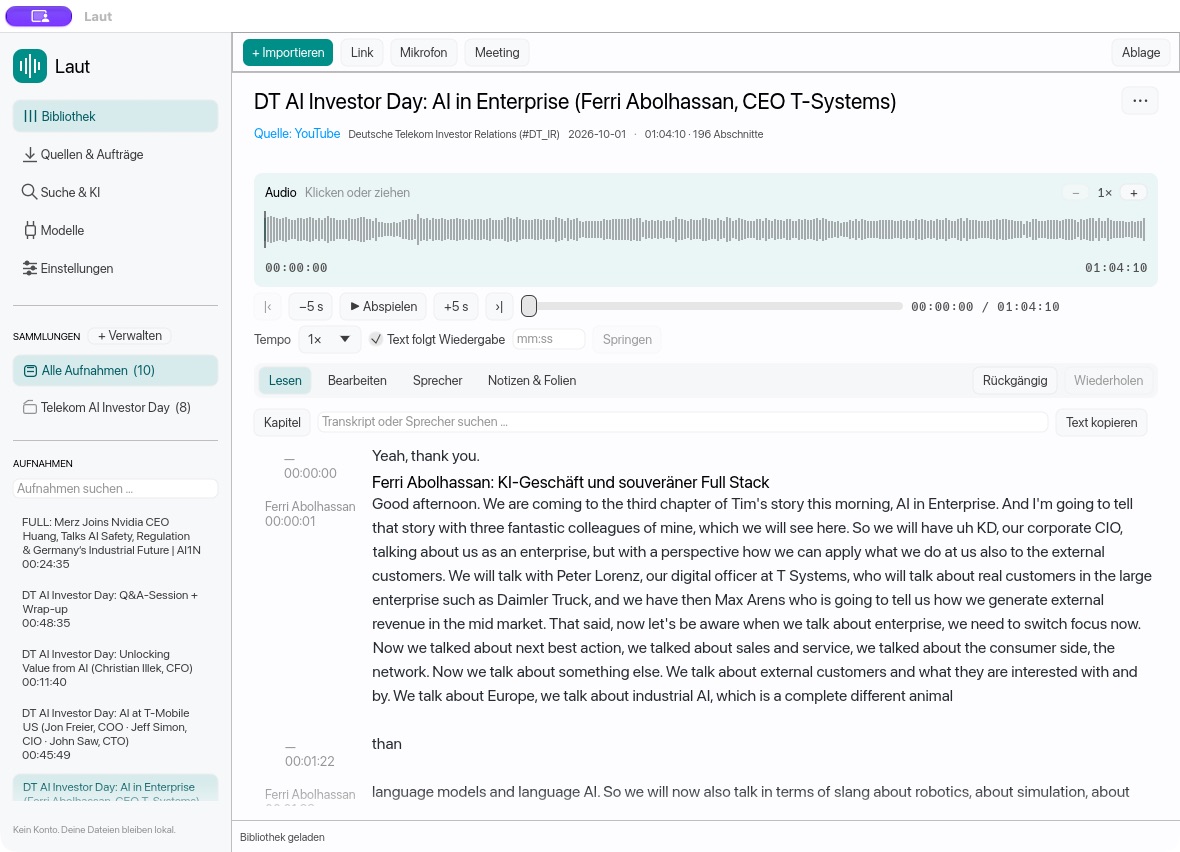
Deutsche Telekom’s AI Investor Day brought together much of what I encounter in my work: a long live stream, several presentations, a Q&A session and the accompanying slides as PDFs. I wanted to follow what the different executives were saying, which figures they mentioned and where I could check a statement later.
A recording alone makes that difficult. I can listen and take notes. But if I want to find a particular statement afterwards, I have to remember who said it and roughly when. If the crucial figure is on a slide, the search starts again in another document.
I wanted to prepare the material so that I could research it: read the recordings, search for a topic across several talks, bring in the PDFs and jump from a result back to the original. I also want to be able to do this with confidential interviews. My recordings and transcripts should stay on my own computer.
That is why I am developing Laut. The app transcribes locally and connects the text to the recording. Search, PDF research and local AI analysis build on that foundation. The aim is a collection of sources from which I can find statements and quotes for my work.
In this article
- Turning recordings and PDFs into a shared research collection
- What semantic search makes possible
- From a search result back to the original
- Keeping AI research on my own computer
- Trying Laut and finding the latest download
Turning hours of material into a shared research collection
For the Telekom example, eight recordings sit together in one collection. They cover topics including the company’s AI strategy, networks, customer service and its enterprise business. I can open an individual recording or search across the whole collection.
The first step is the transcript. Laut converts speech into text using a speech recognition model installed locally. The recording stays connected to it: speaker labels and timestamps help me place a passage in context and listen to it again. I can correct recognition errors, fix names and add my own notes.
The presentation PDFs can be added alongside the recordings. Laut extracts their text, with optical character recognition where needed. The same search can then find both a spoken statement and a relevant page in a presentation. The app identifies whether a result comes from a transcript or a PDF.
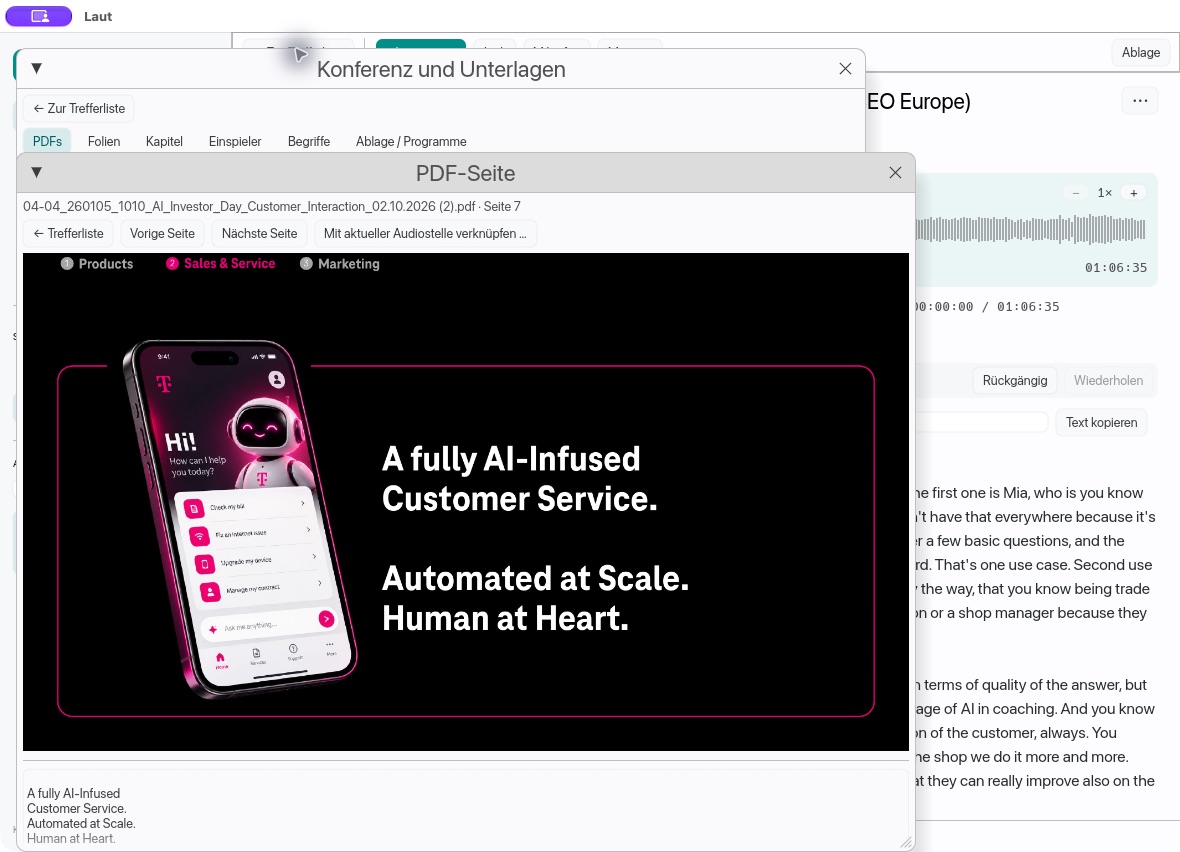
For my work, this is the crucial step: information from different files becomes accessible together. I no longer have to remember the right talk or filename before I can follow a question.
Searching when I cannot remember the exact words
An ordinary text search is useful when I know the term. If I am looking for a name, a year or a particular phrase, I want exact word matches. But often I remember a thought rather than its wording: someone discussed how AI changes work in customer service. I cannot recall the precise phrase.
This is where semantic search helps. Semantic means that similarity in meaning counts too. A local AI model compares the meaning of my query with the text passages. Laut can therefore find related statements even when they use different words. A German query can also lead to an English passage.
A concrete example: I search the Telekom collection for “Automatisierung im Kundenservice” – German for “automation in customer service”. The talks are in English. Laut finds statements about customer service, bots and AI supporting employees, even though the German search terms do not appear in the transcript.
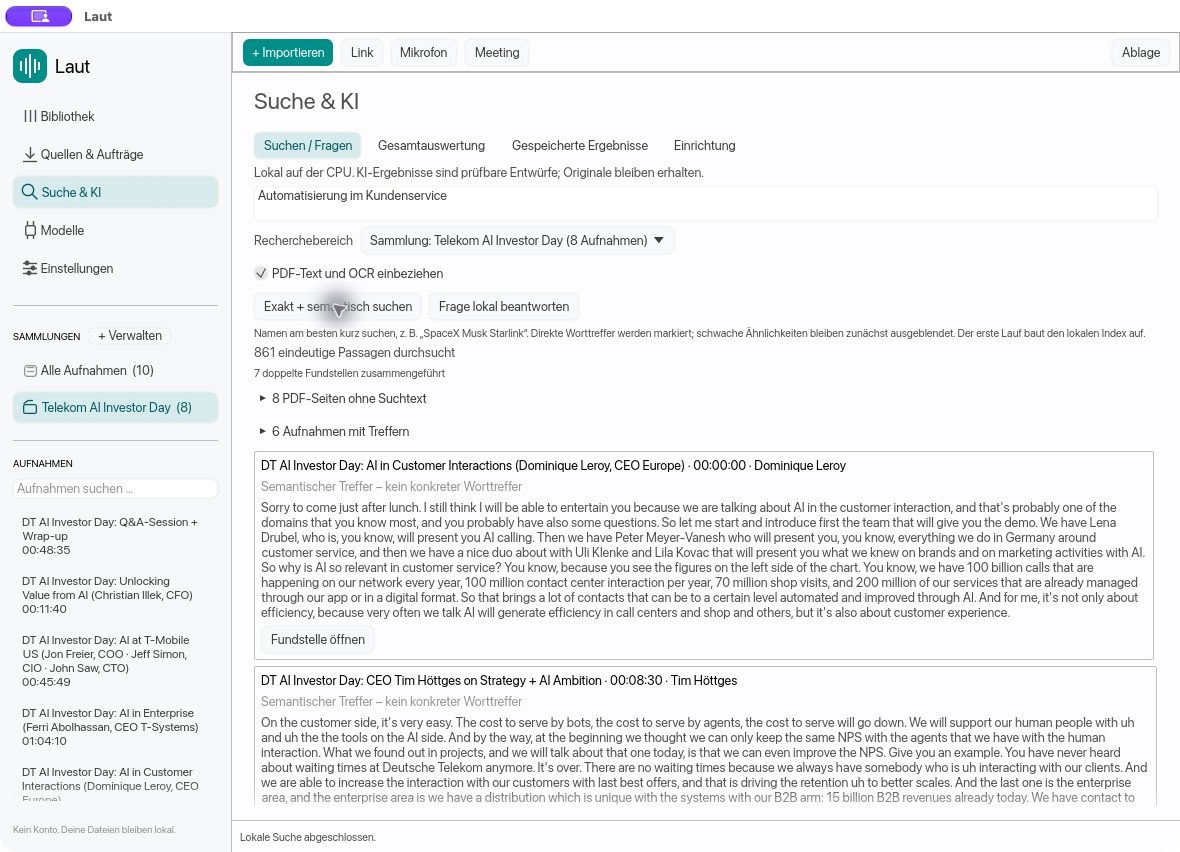
Laut combines this approach with exact word matches. That is particularly important for names, abbreviations and numbers. Direct matches are highlighted, while weak similarities are initially hidden. A passage with a related meaning is a lead I can check. By itself, it does not prove a claim.
For the Telekom material, this means I can follow a question across several talks. Who discusses the use of AI in customer service? Which statements come from the group’s leadership, and which from the people responsible for individual divisions? What do the slides say? The search takes me to the places where I need to continue my work.
From a result to a usable quote
A search result becomes useful when I can check its context. Laut therefore shows the source and, for transcripts, the timestamp. The “Fundstelle öffnen” button – open source passage – takes me to the recording and the relevant text. For a PDF, it opens the corresponding page.
In this example, I open a result from Tim Höttges’s presentation at 8 minutes 30 seconds. Laut highlights the passage in the transcript and sets the playback position accordingly. I can read the statement together with the sentences before and after it, then listen to that part of the recording. Afterwards, I can return to the results list.
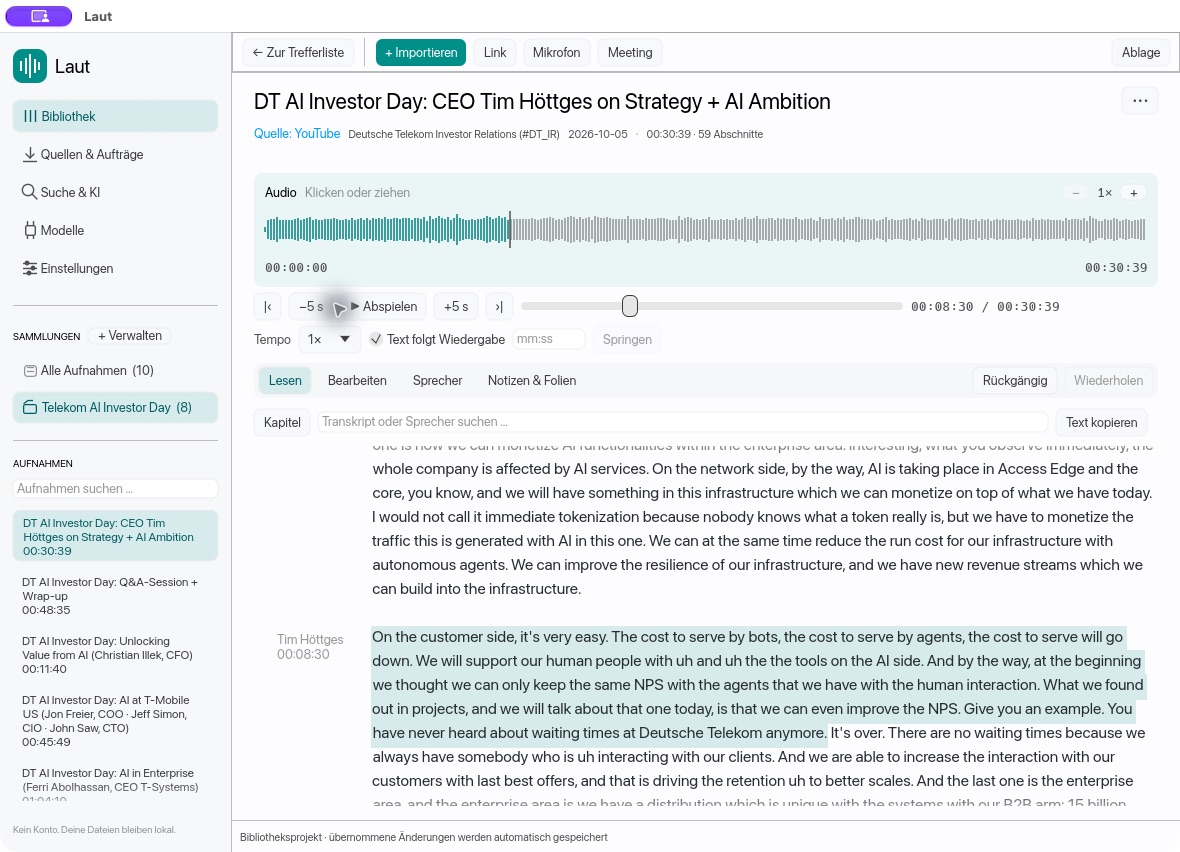
This is how I get from hours of material to individual statements I can work with. Before using a quote, I still check the recording. Did the person really say it that way? Does a figure refer to the current year or a future target? How does the preceding sentence affect its meaning?
The transcript can be edited, copied and exported as plain text, Markdown, subtitles or JSON. It remains a working document. The app does not take over the checking of quotes; it makes the route to the right passage much shorter.
AI can also help analyse the material
Another feature builds on search: I can ask questions about the material and have a local AI draft an answer. Laut can also analyse selected recordings or a collection. Its results include references to the underlying sources.
This helps me get an initial overview or find possible starting points for further research. I can explore which statements about customer service belong together, then read the relevant passages. The PDFs can be part of this research too.
Such an answer is a draft. AI can give the wrong weight to a connection, overlook something or summarise a statement inaccurately. The checkable source passages remain essential. For my work, I need to see how an answer was produced and where I can verify it.
Using AI without handing over my own data
The Telekom stream is public. Interviews and other recordings of my own are a different matter. I do not want to entrust sensitive conversations to a cloud transcription service. I want to decide where the recordings are stored and who has access to them.
That is why transcription, semantic search and the default AI analysis in Laut run on the user’s own computer. The search index is built there too. These features require neither an account with an AI provider nor an API key. Laut does not silently switch to a cloud model when a local task becomes difficult.
An internet connection is initially needed to download the models and required helper programs. Importing a public media link also requires a connection. Once the models are installed, existing local files can be processed offline. Recordings, transcripts, PDFs, corrections and notes stay in the user’s own library.
An optional external text analysis mode is available as well. People who deliberately choose it can send selected text passages to their own provider. Laut first shows the task and all the selected text; it transfers them only after explicit approval. For confidential material, I use the local route.
Working locally also means choosing an appropriate storage location. If the library is in a folder synchronised by a service such as iCloud or Dropbox, files can leave the computer that way. I therefore also need to decide how my data is stored and backed up outside the app.
What Laut can do today – and where the limits are
Laut can import local audio and video files as well as supported public media links, transcribe speech and separate speakers. The text can be corrected, supplemented with notes and PDFs, organised into collections and searched together. Local AI analysis and export to several formats are also available.
The app is still a public alpha. The Mac version for Apple Silicon has the most real-world testing. Windows and Linux packages are built and tested automatically, but need more testing across different computers. The packages are currently unsigned and are not notarised.
Processing speed depends on the computer, the model and the length of the recording. Transcription, semantic search and text analysis have different requirements. Local text analysis in particular can take time on a CPU and needs additional memory. I cannot yet promise a single processing speed across all devices.
Names, figures and speaker changes can be recognised incorrectly. Some PDF pages contain no extractable text, and optical character recognition can make mistakes too. In the search example, Laut explicitly flags pages without searchable text. A missing result therefore does not automatically mean that the material does not discuss a topic.
System audio recording also has limitations: further real-world tests are pending on macOS, and this feature has not yet been implemented on Linux. Automatic topic-based chapters and slide detection from video frames are also missing. I keep a more detailed account in the validation log on GitHub.
Trying Laut
Laut is free and open source. The latest version, installation instructions and known limitations are in the GitHub repository. It links to the downloads currently available. This way, the article will still point to the right place when a new version is released.
The latest version on GitHub
The repository contains the available packages for macOS, Windows and Linux, along with first-run instructions.
Download Laut – go to the repository ↗
Free · Open source · Public alpha
| System | Current status |
|---|---|
| macOS 13 or later, Apple Silicon | The most thoroughly tested version in everyday use. |
| Windows 10/11, x64 | Alpha; further testing on real devices is needed. |
| Linux, x64 | Alpha; system audio recording is not yet available. |
For a first attempt, I would start with a short, non-sensitive recording:
- Get the appropriate package from the repository, extract it and launch Laut.
- Select a local folder for the library.
- Install the required packages under “Models”. Media processing also needs FFmpeg and FFprobe. Semantic search and local text analysis require their own models.
- Import a recording, check the transcript and then follow a question through search. PDFs and further recordings can be added afterwards.
I should keep the original recording and a separate backup of the library. Feedback and reproducible bug reports help me develop the app; there are GitHub Issues for that. Confidential material should not be posted there publicly.
For me, Laut is about making better use of my own material. A long event becomes a set of accessible sources: talks, slides, statements and possible quotes that I can return to at any time. AI helps me make sense of them. Control over the data and responsibility for my work stay with me.